SMS Messaging Program
How Homewise Connect uses SMS messaging, and how to opt in, stop, or get help.
1. Program description
Homewise Connect (homewise-connect.com) is a lead distribution platform for home-service businesses in the United States. We send SMS to two groups of people, both of whom give us their mobile number directly:
- Service providers who created an account with us. They receive one-time login passcodes (2FA), security alerts (for example, a password change), notifications when a new job request matches their service area, and low-credit alerts.
- Homeowners who submitted a home-service request. For that request only, they receive a confirmation with a link to track its status, a notification when a local pro accepts it, and a single feedback request after the service is completed.
We do not send marketing messages, we do not message purchased or rented lists, and we do not message anyone who has not given us their number themselves.
2. How end users opt in (Call to Action)
Providers. A provider creates an account at homewise-connect.com or in the Homewise Connect mobile app. At the last onboarding step they enter their mobile number. Login codes and security notices are user-initiated: a code is sent only when the provider signs in or asks for a password reset, so no opt-in is required. The line under the phone field says so:
We will use your mobile number to text you login codes and security notices. Msg & data rates may apply. Reply HELP for help.
Recurring alerts (new job requests, low balance) are a separate, optional and unchecked box right below that line. Signup completes with or without it:
Also text me new job requests in my area and low-balance alerts (optional). Message frequency varies. Msg & data rates may apply. Reply STOP to cancel, HELP for help.
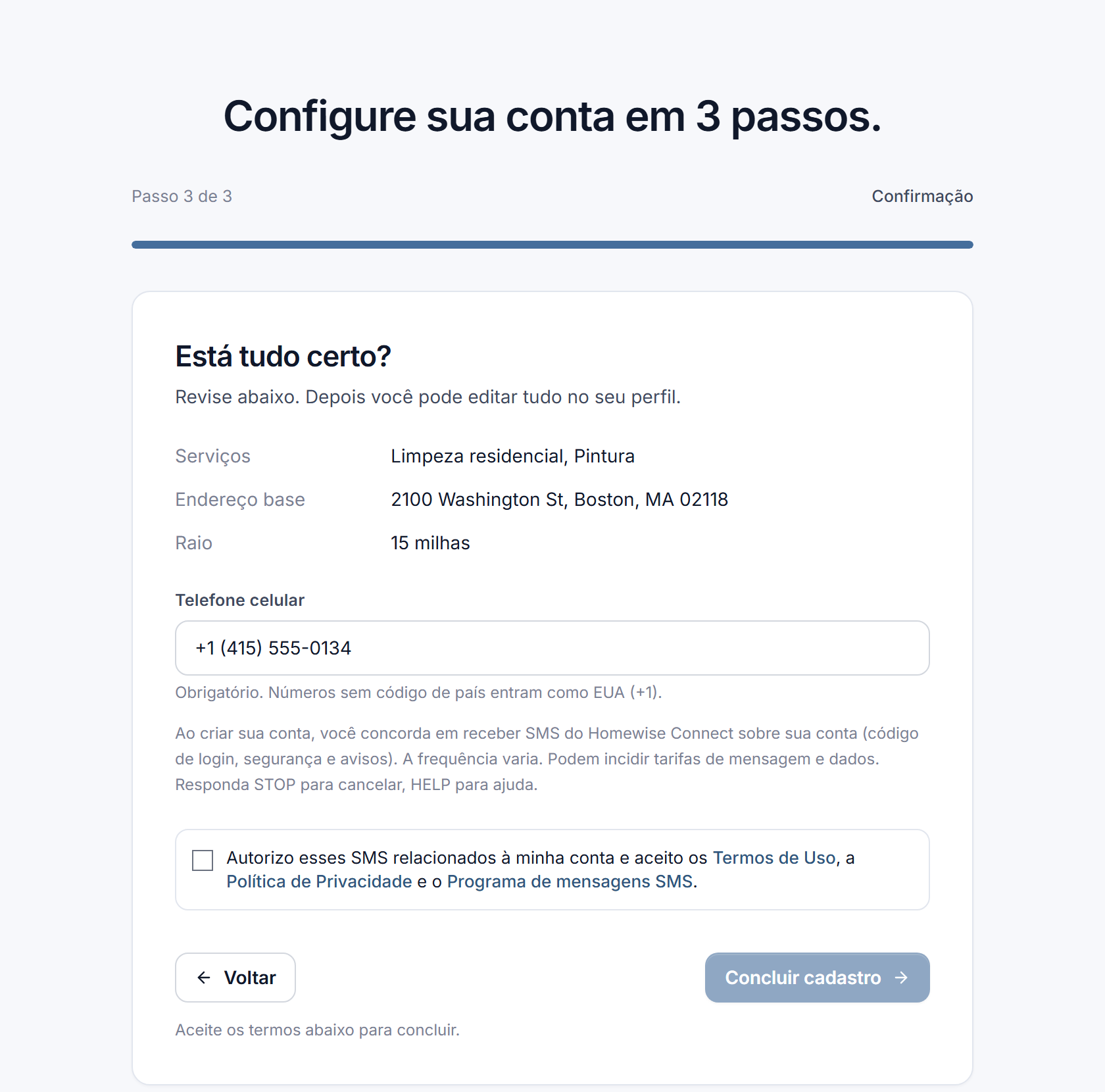
Consent is never a condition of purchase or of creating an account. The same alerts can be turned on or off at any time in Profile → Notifications, where each message type has its own toggle.
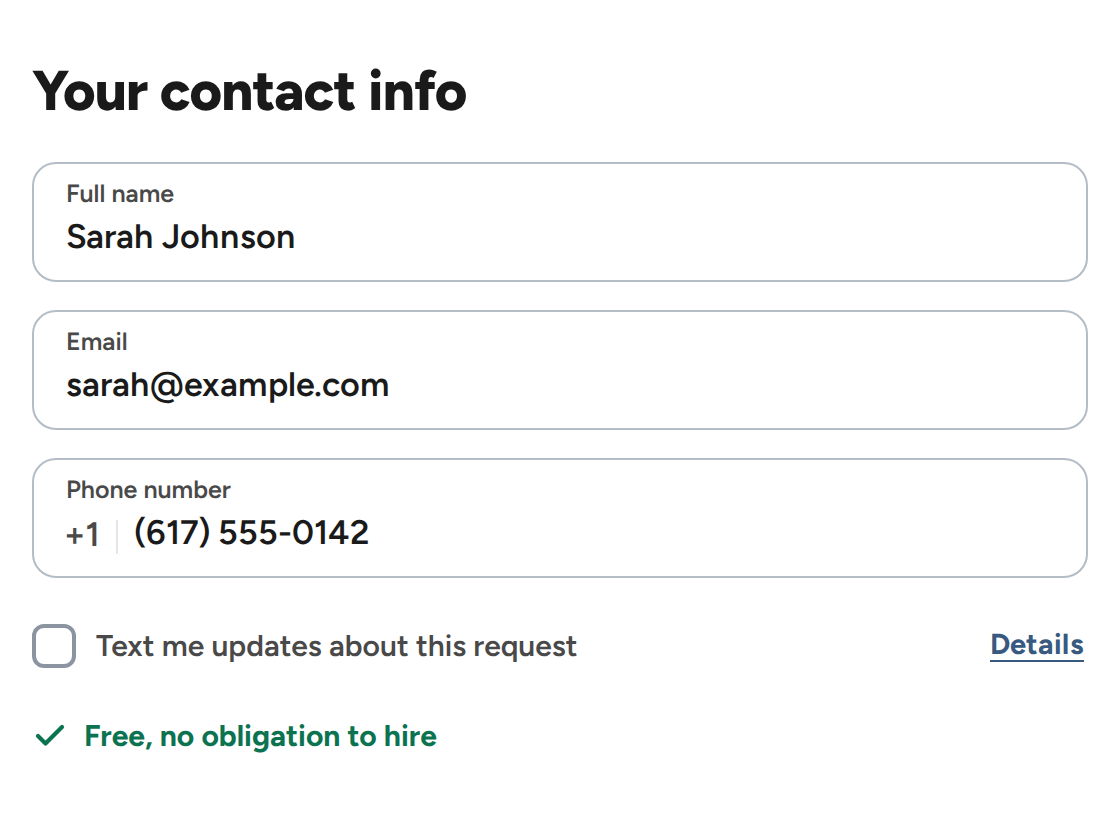
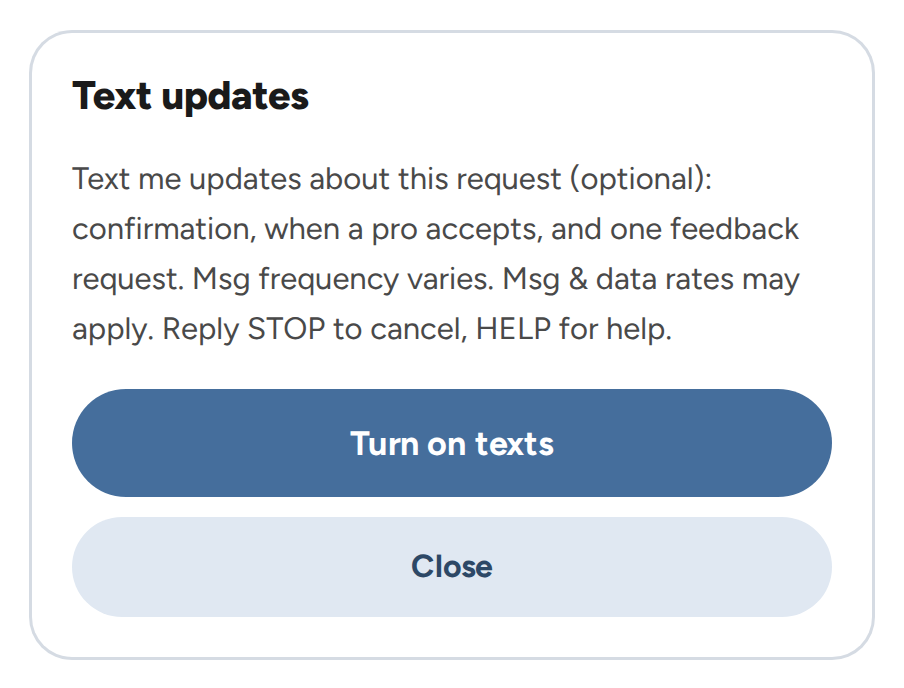
Homeowners. A homeowner requests a service at homewise-connect.com/get-started (or through a Facebook lead form). Under the phone field there is an optional, unchecked box labeled “Text me updates about this request”, with a Details link beside it that opens the full disclosure below (texts can also be turned on from there). The request is submitted with or without it, and we only text a homeowner who opted in:
Text me updates about this request (optional): confirmation, when a pro accepts, and one feedback request. Msg frequency varies. Msg & data rates may apply. Reply STOP to cancel, HELP for help.
3. Message frequency
Message frequency varies and depends on the user's own activity: login codes are sent only when the user logs in, and job-request alerts are sent only when a matching request appears in the area the user selected. Providers typically receive between 0 and 10 messages per month. Homeowners receive up to three messages per request they submitted.
4. Cost
Homewise Connect does not charge for SMS. Message and data rates may apply from your mobile carrier.
5. How to stop receiving messages (STOP)
Reply STOP to any message to be unsubscribed immediately. We also accept STOPALL, UNSUBSCRIBE, CANCEL, END, QUIT, REVOKE and OPTOUT. You will receive one final confirmation and no further messages from that number. Reply START to resubscribe. Providers can also turn individual message categories off at any time in Profile → Notifications, or switch their login codes to email.
6. How to get help (HELP)
Reply HELP (or INFO) to any message, email us at [email protected], or visit our support page. We reply within 2 business days.
7. Privacy
Mobile opt-in data and consent are never shared with, sold to, or rented to third parties or affiliates for marketing or promotional purposes. Phone numbers collected for messaging are used only to deliver the messages described on this page. Full details in our Privacy Policy and Terms of Use.